
Check A Statement Against Your Books
Hand your bank or card statement to your AI in Claude or ChatGPT and Solarium checks it line by line against your books, flagging missing, extra and doubled charges.
A statement check answers one question: does every line on your bank or card statement have a match in your books? Solarium does the matching for you through your AI, and lists exactly what’s missing, extra or doubled.
Before You Start
- Connect Solarium to Claude or ChatGPT. See Connect Solarium To Claude or Connect Solarium To ChatGPT. The Free plan includes 200 AI calls a month, and paid plans have no limit.
- Download the statement as a PDF from your bank or card company.
- Make sure the account is in Solarium. It should be listed under Settings, then Cards & Banks.
- Book what you can in Review first, so the check isn’t full of items you already know about.
Steps
1. Give Solarium The Statement
In Claude or ChatGPT, attach the PDF and say which account it’s for. Your AI adds it to Solarium as a statement. A statement is only kept, not read as a receipt or booked.
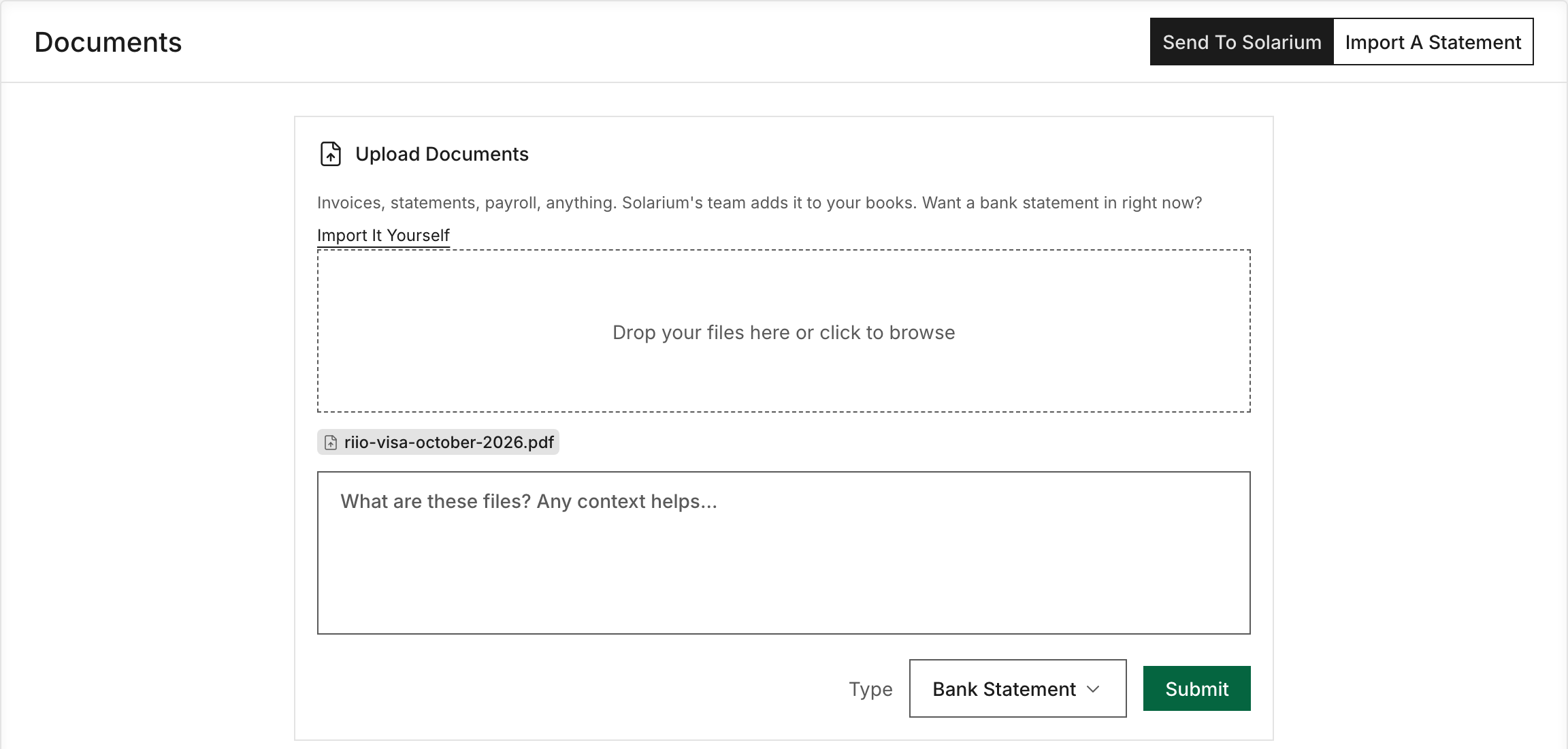
On the Done For You plan, you can also upload it in the app. Go to Documents, set Type to Bank Statement, add a note if you like, and add the file. Your AI can find it there too.
2. Ask For The Check
Ask your AI to check the statement against your books. Riio Systems Inc., our made-up Ontario business, asks: “Check my October Visa statement against my books.”
Your AI looks up the statement and runs the check for that account and those dates. It’s read-only, so nothing in your books changes.
3. Read What Came Back
Solarium sorts every statement line into groups:
- Matches. Same amount, same direction, within 3 days of each other.
- Missing from your books. On the statement with no matching transaction in Solarium.
- Not on the statement. In your books for this account, but not on the statement.
- Possible doubles. The same charge booked twice.
- FX corrections. A foreign charge booked at a different amount than the card actually billed.
- Foreign transaction fees. Fees the card added for buying in another currency.
If you use QuickBooks Online, Solarium also checks the missing lines against QuickBooks and tells you which ones are there but were never brought in.
4. Fix What’s Off
Go through the list with your AI. For each item, it previews the fix and waits for your yes:
- Add a missing charge or deposit.
- Reject the extra copy of a doubled charge.
- Correct a foreign charge to what the card billed.
- Bring in a transaction that’s in QuickBooks but not in Solarium.
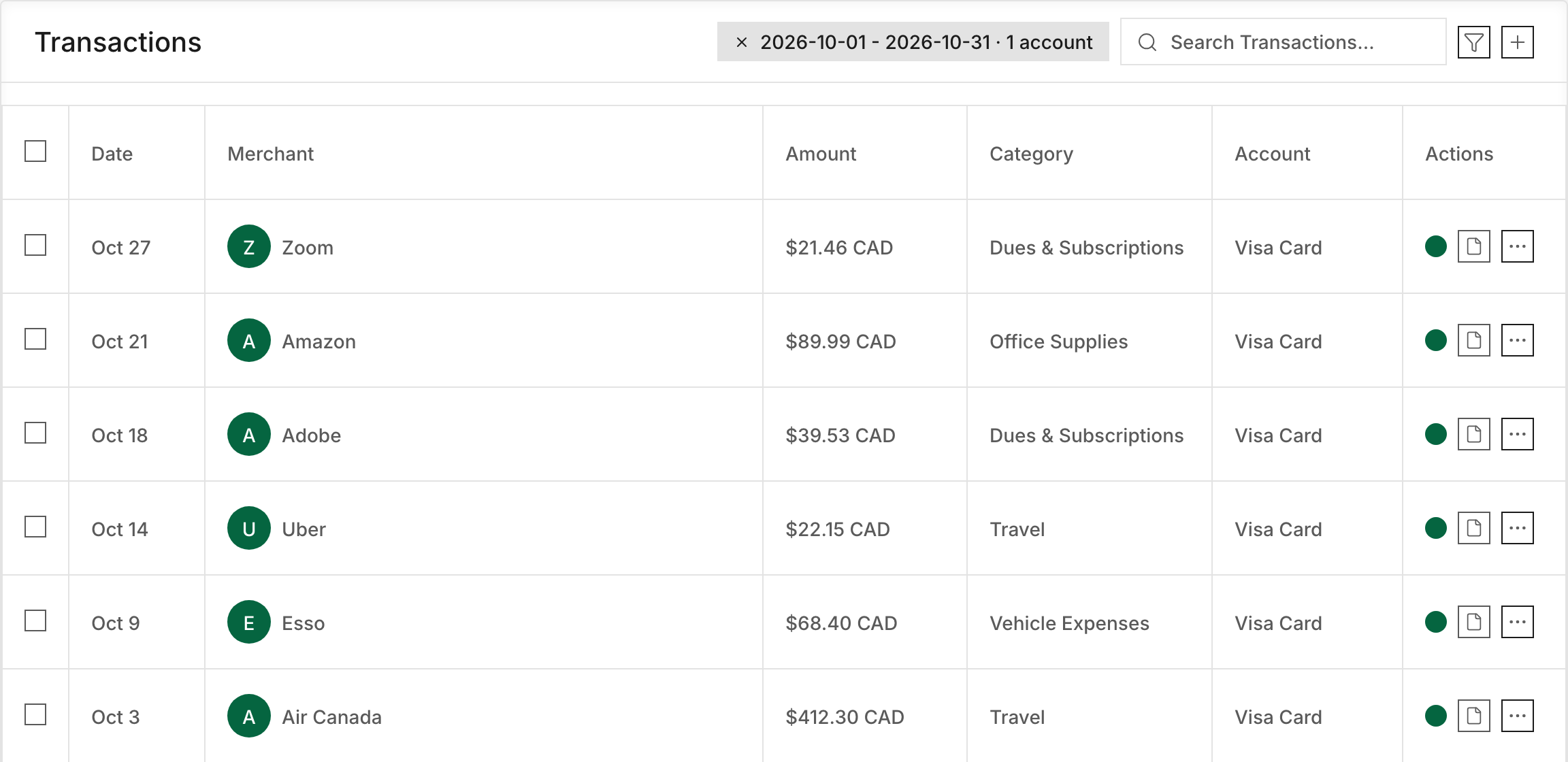
You can also fix things yourself in Transactions. In ChatGPT, your AI can add a missing transaction or reject a doubled one. Correcting a foreign charge and bringing in a QuickBooks transaction need Claude.
5. Run It Again
Ask your AI to check the statement again. When every line matches, your books agree with the bank for that month.
What Happens Next
The statement stays in Solarium, so you or your accountant can rerun the check any time. Do it monthly for each bank and card, and year end goes much faster. The handbook explains the habit in bank reconciliation.
Troubleshooting
- “This statement is being read in the background.” It’s over four pages. Try again in a minute or two.
- “This statement couldn’t be read.” Upload a clearer copy, or paste the lines to your AI.
- “A Statement Must Be A PDF.” Export the statement as a PDF, not a spreadsheet or screenshot. Files are capped at 15 MB.
- “Pass A Card Or Bank Account.” The account you named isn’t a bank or card in Solarium. Ask your AI to list your accounts and pick the right one.
- Some lines are marked uncertain. Solarium couldn’t read them clearly. Check those against the PDF yourself.
Ask Your AI
Both Claude and ChatGPT can list your statements and run the check.
- “Check my October Visa statement against my books.”
- “Which statements have I uploaded for my chequing account?”
- “Add the missing charges from that check, and show me each one first.”
Common Questions
Is There A Reconcile Button In The Solarium App? +
Not yet. Statement checks run through your AI in Claude or ChatGPT, connected to Solarium. On the Done For You plan, the Solarium team reconciles your accounts for you.
Does Checking A Statement Change My Books? +
No. The check only reads. It tells you what matches and what doesn't. Any fix, like adding a missing charge, is a separate step that your AI previews before you say yes.
What File Do I Need? +
A PDF of the statement from your bank or card company. Solarium reads the lines from it. Your AI can also pass the lines in directly if you paste them.
Why Does It Say The Statement Is Still Being Read? +
A statement over four pages is read in the background after you upload it. Wait a minute or two and ask again.