
Send Receipts By Email Or Text
Forward receipts to [email protected] or text photos to +1 (334) 319-9062. Solarium reads each one and matches it to the charge in your books.
Send every receipt the moment you get it, with nothing to install. Forward it by email or text a photo, and Solarium reads it, keeps the original and attaches it to the right charge.
Before You Start
- Any plan works. Free includes 200 email and text receipts a calendar year. Essentials and Done For You have no yearly cap.
- Your own email and phone already work. The email and phone number on your Solarium account are recognized right away.
- Save the two addresses in your phone. Email: [email protected]. Text: +1 (334) 319-9062.
Steps
1. Forward An Email Receipt
Forward the receipt email from your account’s email address to [email protected]. Solarium reads photo and PDF attachments. If there’s no attachment, it reads the receipt in the email itself, which covers most online order confirmations.
Solarium emails you back with the subject “Receipt received”. The reply starts with “Got it!” and the vendor and amount it read, then says “Review and confirm at https://admin.trysolarium.com/app/review.”
2. Text A Photo Of A Paper Receipt
Take a photo of the whole receipt, including the tax lines, and text it to +1 (334) 319-9062. You can send several photos in one text. Solarium replies right away with something like “Got 1 receipt! Processing now on Solarium.” and reads each photo in the background.
For our example, the owner of Riio Systems Inc. buys printer toner at a store in Toronto. She texts the photo from the parking lot and puts the paper slip in her folder.
3. Log A Purchase Without A Photo
Lost the slip, or want to log it now and send the photo later? Text the amount and vendor, like $8.90, Impact Kitchen. Solarium replies “Logged $8.90 at Impact Kitchen.” and adds a draft receipt, with a category if it knows that vendor. Text the photo when you find it.
4. Add Other Emails And Phone Numbers
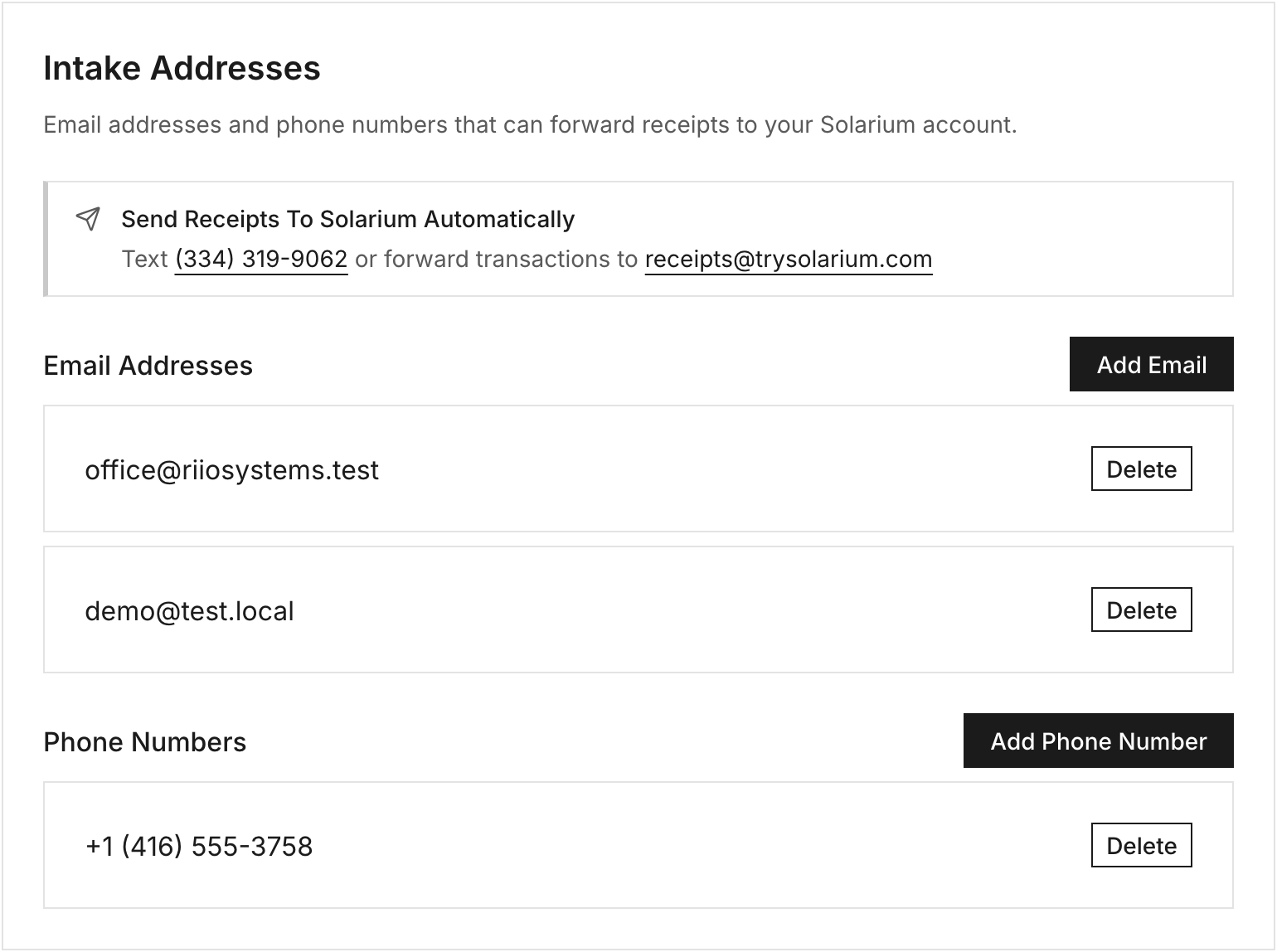
If you send receipts from a second email, or a teammate sends them for you, add those senders. Go to Settings, then Intake Addresses. Click Add Email or Add Phone Number, type the address and click Add. Phone numbers go in with the country code, like +14165550123.
5. Or Snap Receipts In The App
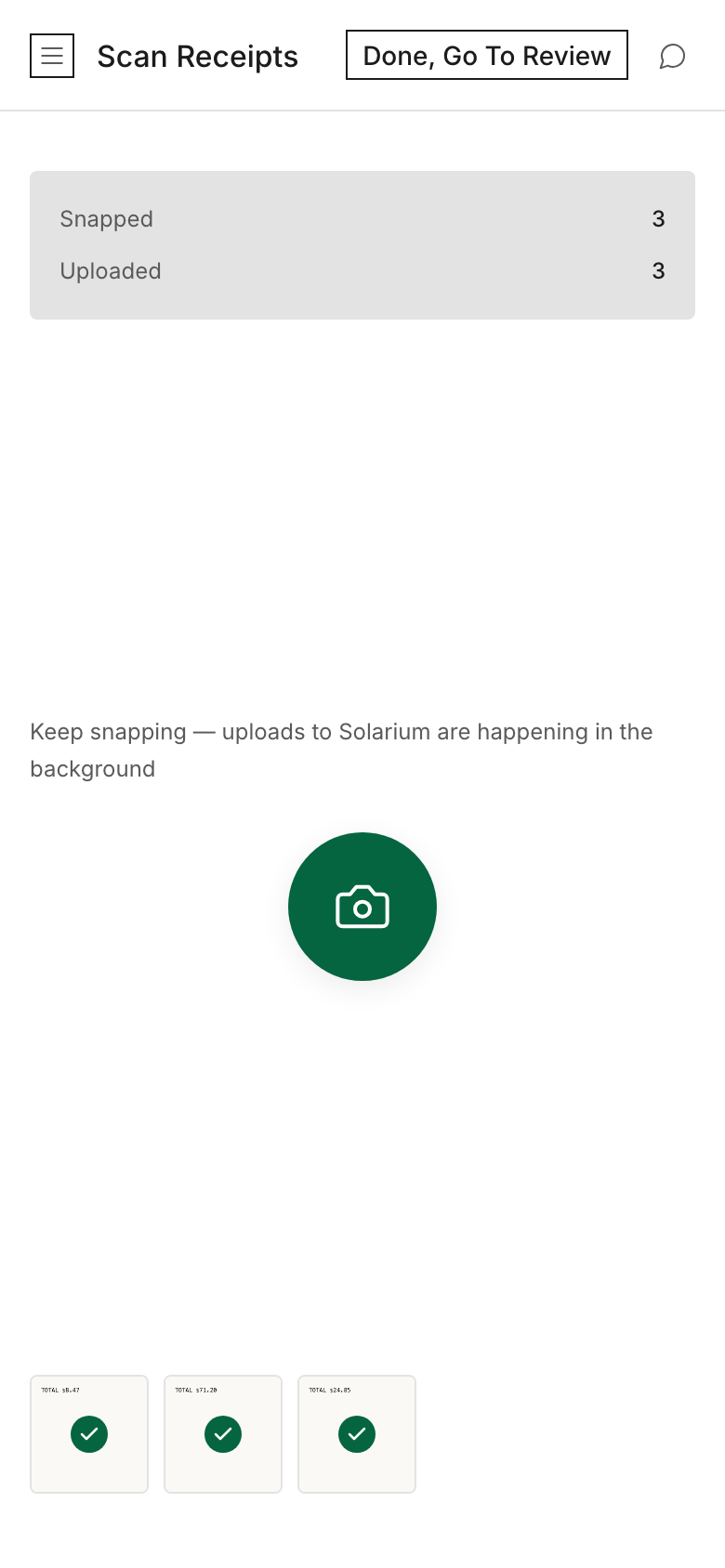
On your phone, open Review, tap the Add button (the plus sign at the top) and choose Scan Receipts. Tap the round shutter button for each receipt. The counter shows how many were Snapped, Uploaded and Processed, and how many were Matched To Existing transactions. Tap Done, Go To Review when you finish. Scan Receipts takes JPEG, PNG, WebP and PDF files.
What Happens Next
Solarium reads the vendor, date, total, the tax printed on the receipt, the receipt number and the card’s last four digits when they show. Then it looks for the matching bank or card charge in the same currency within 3 days of the receipt date. When the match is strong, the receipt is attached to that charge, and the card shows Review Receipt in your Review Inbox so you can check it before you confirm.
If no charge matches yet, the receipt waits. After 3 days with no match, it shows in the Unmatched Receipts column on Review. If you haven’t connected a bank, it shows there right away. See Match Receipts To Transactions for what to do next.
On Done For You, Solarium’s reply says our team will book it, and you don’t need to confirm anything.
Troubleshooting
- You get a “Welcome to Solarium” reply. Solarium doesn’t recognize the sender. Send from your account’s email or phone, or add the sender in Settings, Intake Addresses.
- “No receipts found.” Solarium couldn’t read a receipt from that email. Forward the original receipt email, or attach a clear photo or PDF.
- “Already received.” That exact file was sent before, so Solarium didn’t file it twice.
- “You’ve used your 200 free receipts this year.” You’re on Free and hit the yearly cap. What you send is saved and processes as soon as you upgrade to Essentials in Settings, Billing.
- An address you added isn’t in the list. It may already belong to another Solarium business. Each email or number can only send to one business.
- Text HELP to +1 (334) 319-9062 for a short how-to by text.
Ask Your AI
These work in Claude and in ChatGPT:
- “Where do I send receipts to Solarium, and which of my emails does it recognize?”
- “Here’s a receipt PDF. Add it to my books.” (attach the file)
- “Which receipts came in this week, and which are still unmatched?”
Common Questions
Which Email Or Phone Do I Send From? +
From the email and phone number on your Solarium account, or any address you add in Settings, Intake Addresses. Solarium uses the sender to know which business the receipt belongs to.
Can I Send Several Receipts At Once? +
Yes. Attach several photos or PDFs to one email, or send several photos in one text. Solarium reads each one as its own receipt.
How Do I Undo A Receipt I Texted By Mistake? +
Reply 2 within an hour. Solarium discards the last receipt from that text, as long as it isn't on a transaction yet.
Is There A Limit On The Free Plan? +
Free includes 200 receipts a calendar year by email or text. After that, Solarium saves what you send and processes it as soon as you upgrade to Essentials. Photos you add with Scan Receipts in the app don't count toward the 200.